Chapter 6 Network Reconnaissance
For diagrams, tables, or exact code formatting, .
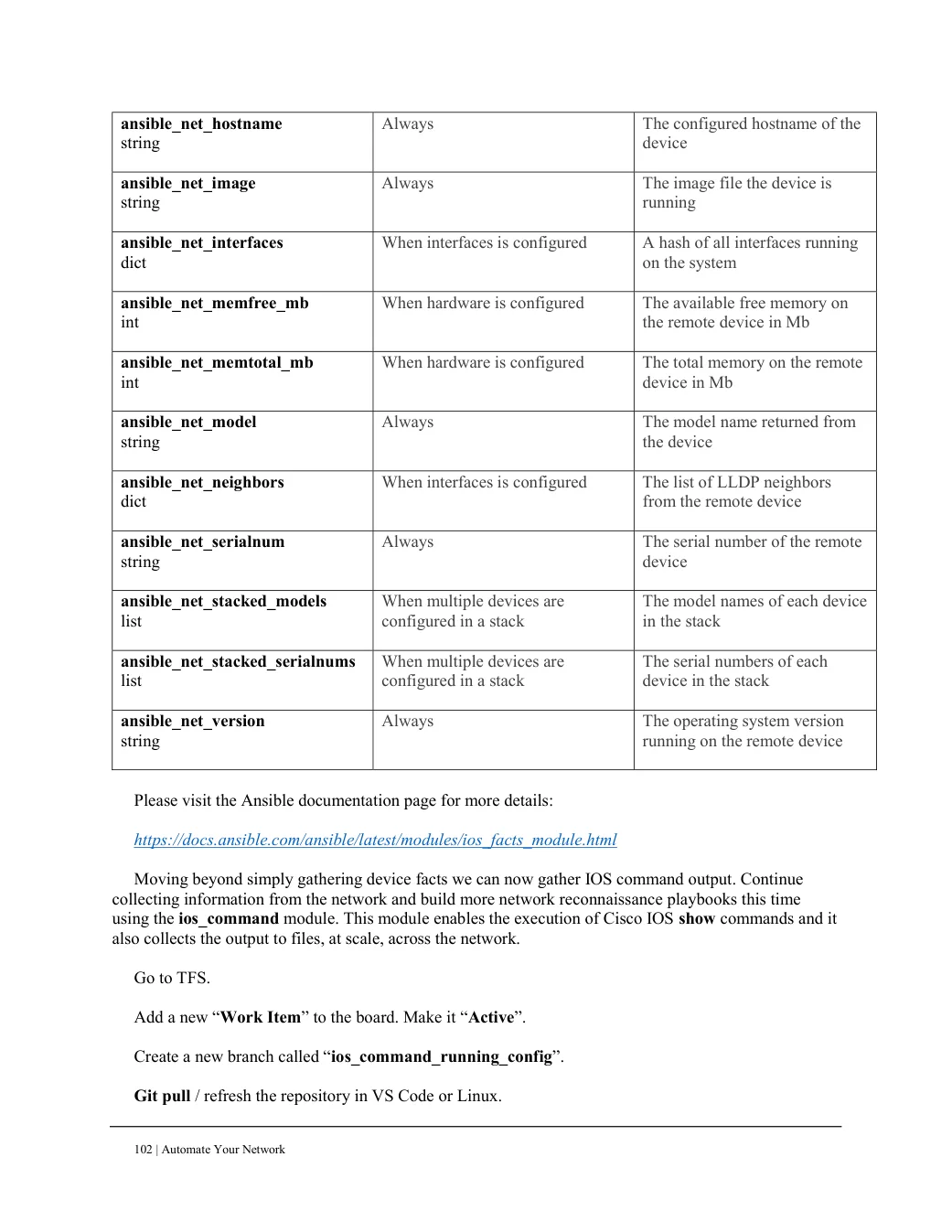
ansible_net_hostname string
Always The configured hostname of the device
ansible_net_image string
Always The image file the device is running
ansible_net_interfaces dict
When interfaces is configured A hash of all interfaces running on the system
ansible_net_memfree_mb int
When hardware is configured The available free memory on the remote device in Mb
ansible_net_memtotal_mb int
When hardware is configured The total memory on the remote device in Mb
ansible_net_model string
Always The model name returned from the device
ansible_net_neighbors dict
When interfaces is configured The list of LLDP neighbors from the remote device
ansible_net_serialnum string
Always The serial number of the remote device
ansible_net_stacked_models list
When multiple devices are configured in a stack
The model names of each device in the stack
ansible_net_stacked_serialnums list
When multiple devices are configured in a stack
The serial numbers of each device in the stack
ansible_net_version string
Always The operating system version running on the remote device
Please visit the Ansible documentation page for more details: https://docs.ansible.com/ansible/latest/modules/ios_facts_module.html Moving beyond simply gathering device facts we can now gather IOS command output. Continue collecting information from the network and build more network reconnaissance playbooks this time using the ios_command module. This module enables the execution of Cisco IOS show commands and it also collects the output to files, at scale, across the network.
Go to TFS. Add a new “Work Item” to the board. Make it “Active”. Create a new branch called “ios_command_running_config”. Git pull / refresh the repository in VS Code or Linux.