Chapter 11 Continuous Integration / Continuous Delivery
For diagrams, tables, or exact code formatting, .
Build A build is software product in its final, consumable form. In traditional software this means executables or compiled code. For network automation think of a build as a point-in-time collection of all the components that make up the functional state of a network. Using TFS, first create a New Build Definition using the master branch as the source code for the build. Enable automated builds when changes to master branch are made and setup an Ansible extension to execute the documentation.yml playbook every time an automated build is triggered. Use Git to push the generated documentation into the master branch after the automated Ansible documentation.yml file has completed. Documentation will now accurately reflect changes made to the network. A rich version control and artifact history is available showing exactly which pull requests or commits relate to which documentation file changes.
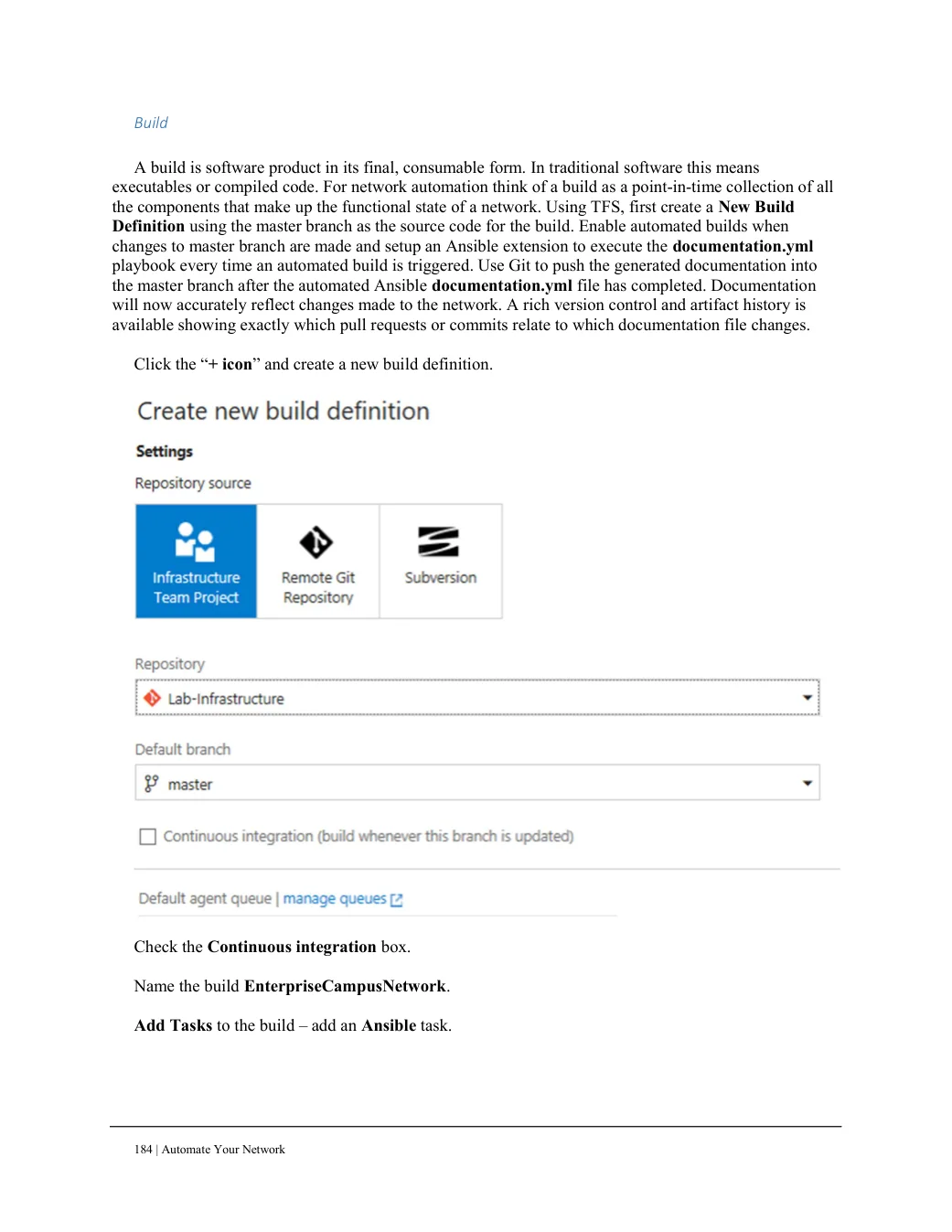
Click the “+ icon” and create a new build definition.
Check the Continuous integration box. Name the build EnterpriseCampusNetwork. Add Tasks to the build – add an Ansible task.