Chapter 3 How to Automate the Network?
For diagrams, tables, or exact code formatting, .
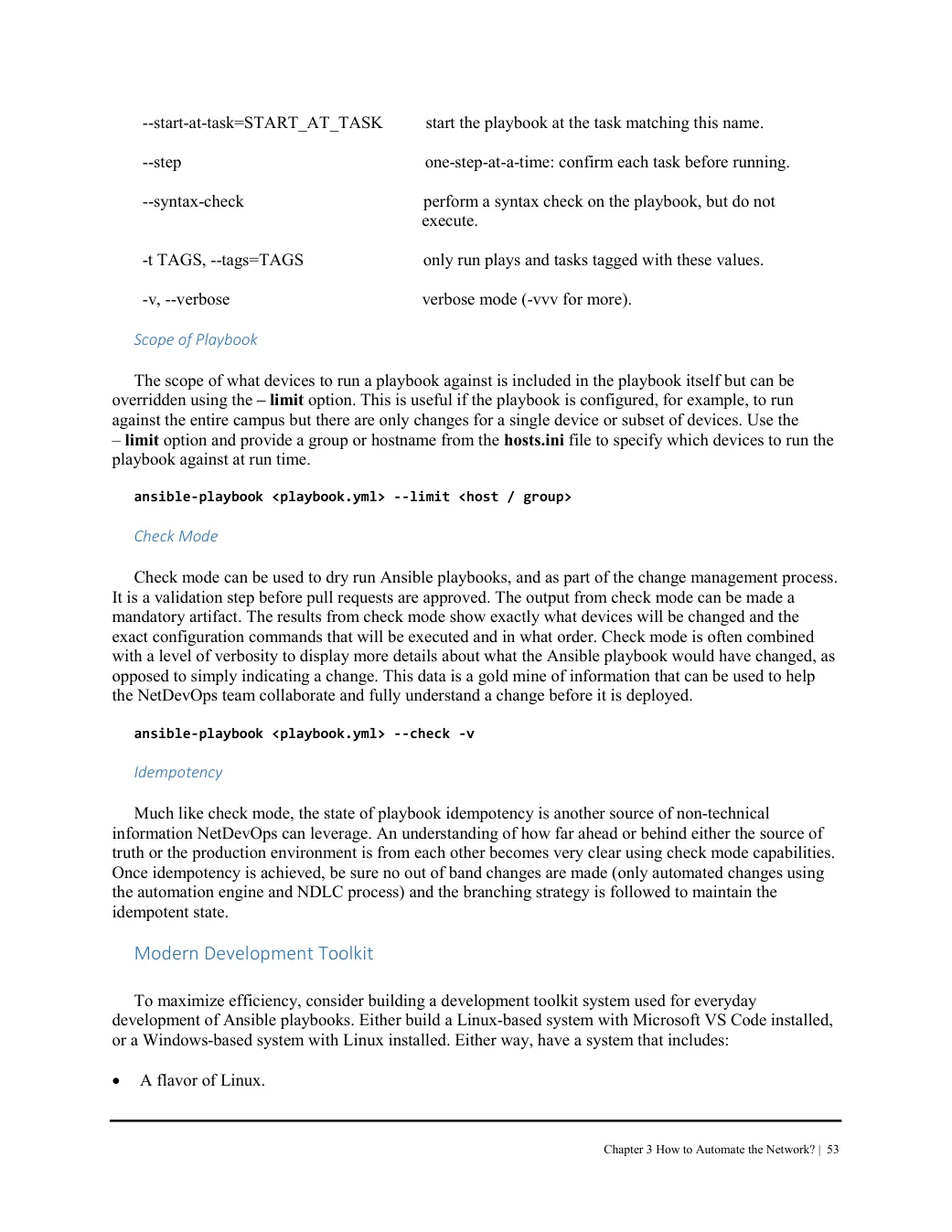
--start-at-task=START_AT_TASK start the playbook at the task matching this name. --step one-step-at-a-time: confirm each task before running. --syntax-check perform a syntax check on the playbook, but do not
execute. -t TAGS, --tags=TAGS only run plays and tasks tagged with these values. -v, --verbose verbose mode (-vvv for more). Scope of Playbook The scope of what devices to run a playbook against is included in the playbook itself but can be overridden using the – limit option. This is useful if the playbook is configured, for example, to run against the entire campus but there are only changes for a single device or subset of devices. Use the – limit option and provide a group or hostname from the hosts.ini file to specify which devices to run the playbook against at run time.
ansible-playbook <playbook.yml> --limit <host / group> Check Mode Check mode can be used to dry run Ansible playbooks, and as part of the change management process. It is a validation step before pull requests are approved. The output from check mode can be made a mandatory artifact. The results from check mode show exactly what devices will be changed and the exact configuration commands that will be executed and in what order. Check mode is often combined with a level of verbosity to display more details about what the Ansible playbook would have changed, as opposed to simply indicating a change. This data is a gold mine of information that can be used to help the NetDevOps team collaborate and fully understand a change before it is deployed.
ansible-playbook <playbook.yml> --check -v Idempotency Much like check mode, the state of playbook idempotency is another source of non-technical information NetDevOps can leverage. An understanding of how far ahead or behind either the source of truth or the production environment is from each other becomes very clear using check mode capabilities. Once idempotency is achieved, be sure no out of band changes are made (only automated changes using the automation engine and NDLC process) and the branching strategy is followed to maintain the idempotent state.
Modern Development Toolkit To maximize efficiency, consider building a development toolkit system used for everyday development of Ansible playbooks. Either build a Linux-based system with Microsoft VS Code installed, or a Windows-based system with Linux installed. Either way, have a system that includes:
A flavor of Linux.