NetClaw 1.1.0: Start with a conversation. Keep the evidence.

NetClaw now has its first official versioned source release—and a new way to start working with it.
1.0.0 established the milestone. 1.1.0 makes ordinary Chat the default in the HUD. Open the workspace, ask a question, review the answer, and follow up. When an investigation needs branches, attachments and more room for context, switch to Canvas. If you want the native OpenClaw controls, open that interface in its own tab.
That is the direction I want NetClaw to take: make it easier to begin a conversation while keeping the operational evidence close at hand.
NetClaw 1.1.0 is available on GitHub. The project brings together 233 skills and 173 MCP integrations. Those numbers describe the release catalogue. What an individual Claw can actually reach depends on the components installed, credentials configured and infrastructure available to it.
The screenshots below come from my running NetClaw 1.1.0, captured on September 28, 2026. They are not mockups or synthetic preview data. I used a fresh browser session and masked private names; no private conversations, device configurations or topology details are included.
Choose how you talk to your Claw
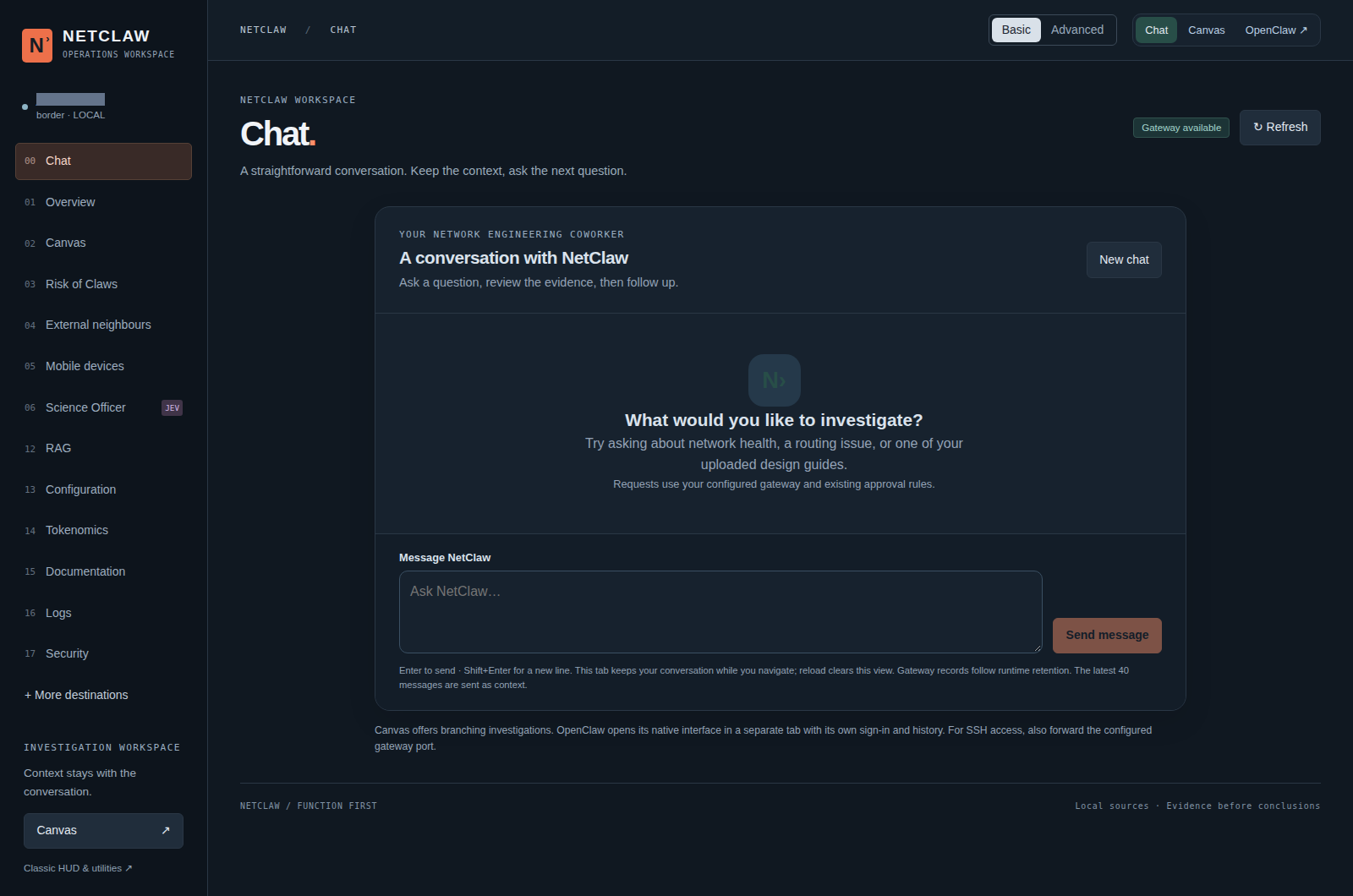
The new default: a real, fresh Chat session on my local Claw. This screenshot shows the interface and gateway availability, not a completed network investigation.
The header gives you three choices:
- Chat for a straightforward, back-and-forth conversation.
- Canvas for branching investigations, sources and attachments.
- OpenClaw for the native interface, opened separately with its own sign-in and history.
Chat uses the existing authenticated gateway and its own conversation identity. You can navigate to another HUD view and return without losing the current draft or interrupting the reply. Errors remain errors: an empty or unconfirmed gateway response is not presented as an invented network finding.
There is an important difference between navigation and storage. Standard Chat keeps its visible conversation in memory in the current tab; reloading clears that local view. Gateway records follow the runtime's retention, and the latest 40 messages are sent as context. Canvas and native OpenClaw keep their separate conversation behavior. Switching interfaces does not merge their histories or send a draft.
A HUD that shows what needs attention
The operations dashboard gives the wider environment a place alongside the conversation: specialist members, external neighbours, mobile edges, knowledge, integration details and operating controls.
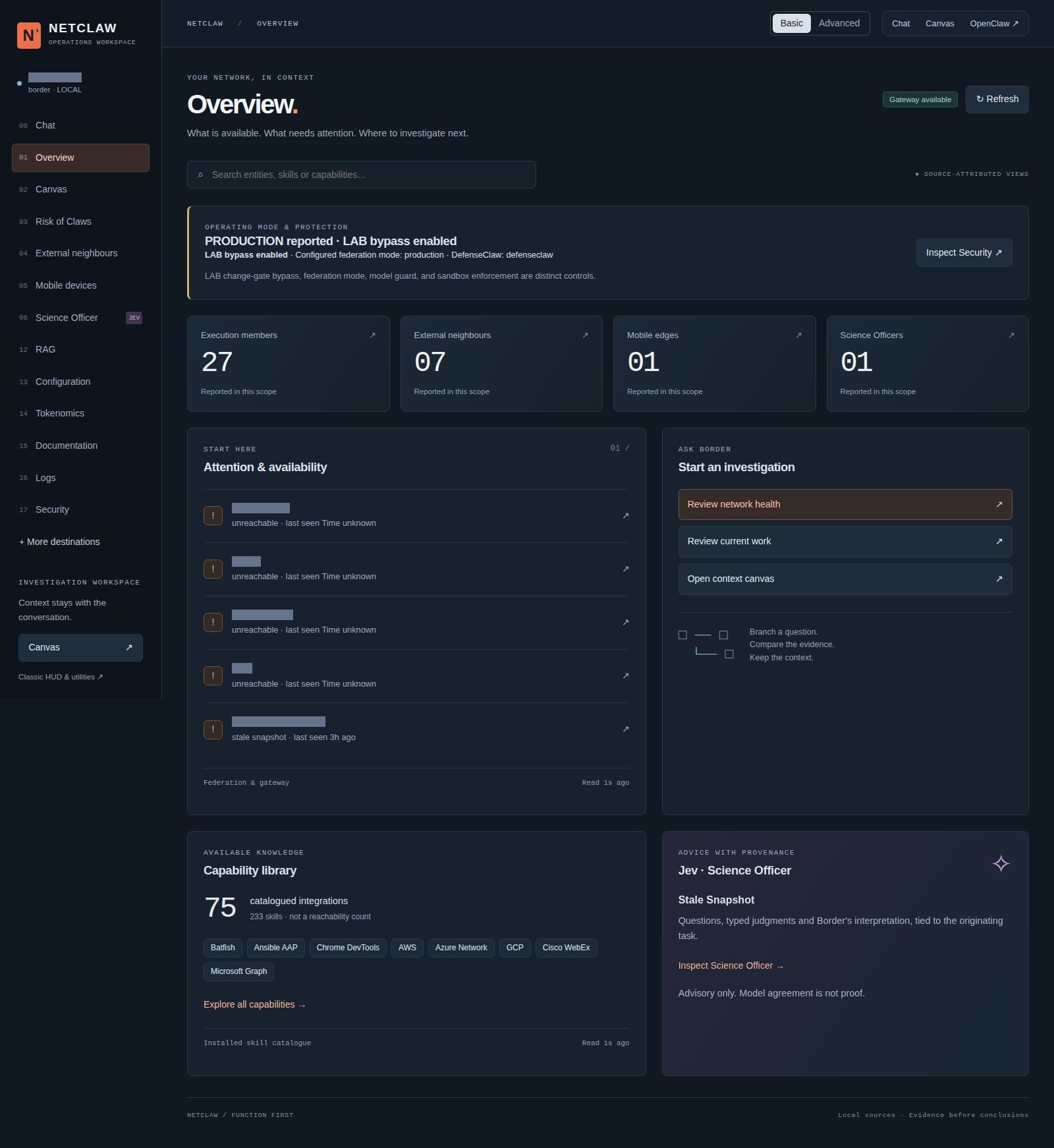
A snapshot of my installation, including its actual stale and unreachable observations. Reported member counts include provisioned entries; they are not a count of healthy, active workers. My lab's operating-mode indicators describe this installation, not a recommended production configuration.
I want the dashboard to help an engineer decide what to investigate next. A stale observation should look stale. An unavailable integration should say that it is unavailable. A configured testbed entry should not be mistaken for a successful device health check.
Basic and Advanced presentation let you choose how much detail to expose. The workspace also provides RAG upload and retrieval, Tokenomics, service Logs, a masked Configuration inventory, Security information, and Documentation with CLI/API references. Optional Three.js relationship views complement the tables where a graph helps explain the relationships.
The smaller catalogue count visible in a particular HUD is scoped to that view and installation. It does not mean all 173 release integrations are installed, authenticated or being queried.
Canvas keeps the investigation together
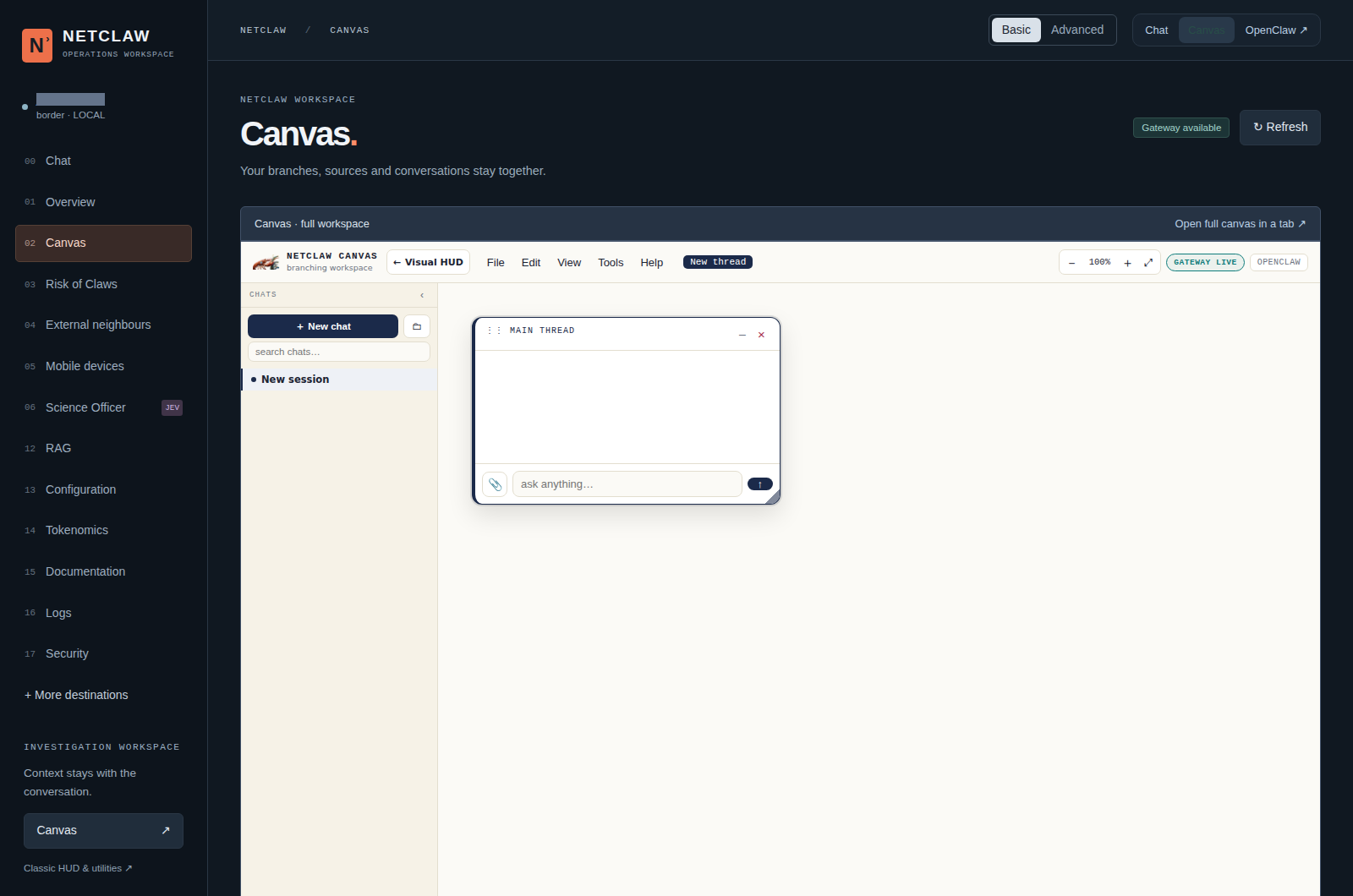
Canvas remains available beside Chat. This is an empty session created for the screenshot, so none of my existing investigation history is exposed.
Some questions fit into a single exchange. Others grow: an interface observation leads to a routing question, which leads to a design document, which changes the next test you need to run.
Canvas gives that context room to develop. It retains the branching workspace, session library and attachment workflow, with selected HUD evidence available to add to a draft for review. Credit to Adam Mason for the Canvas work that this experience preserves.
The documentation area also points to Sean Mahoney's NetClaw overview guide. The community is helping make a substantial project easier to understand and use.
A special thank-you to Byrn Baker and Nicholas Calcutti for their ongoing maintenance, videos and support. Their continued work helps keep NetClaw moving forward and helps other engineers get started.
Meet the optional Science Officer
Jev is NetClaw's optional Science Officer. Border can compose fresh questions from the task and evidence, receive typed assessments, and record whether the advice supported, challenged or changed its recommendation.
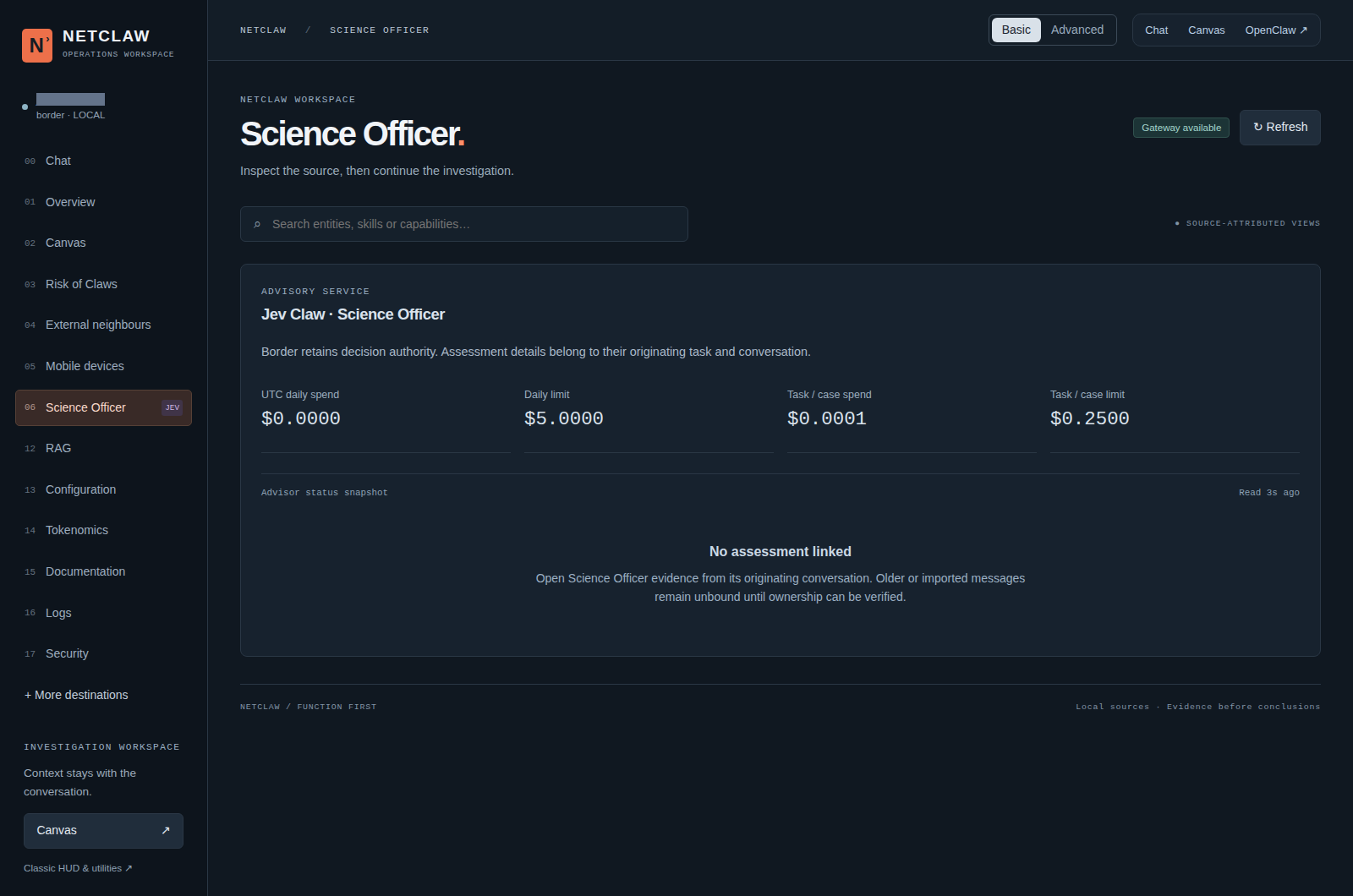
The actual advisory panel on my Claw. It deliberately shows “No assessment linked” in this fresh session. The visible budget figures are a snapshot of this installation, not a price quote or performance claim.
The division of responsibility matters. Border retains execution authority. Jev supplies advice. A confident assessment cannot replace a missing command result, a traffic test or change approval. Assessment details are tied to their originating task and conversation; opening an unrelated conversation does not grant access to them.
Jev has configurable spending limits. Private evidence needs its own disclosure decision. That gives me a way to use a second opinion without confusing it with proof or permission.
The workflow beyond the browser
NetClaw can run as a standalone agent or as a Border coordinating scoped specialist members. External neighbours operate across a different operator boundary; mobile devices have their own edge role.
The release includes Flutter iOS/Android client source for mobile interaction, and Zoom Realtime Media Streams integration for bringing meeting transcript and chat context into investigations when configured. Platform availability and notifications depend on setup. See the mobile documentation and Zoom integration guide for their requirements.
Here is the sort of workflow I want the workspace to support. This is an example, not a claim about a test performed for this article:
- Ask about an intermittent routing problem in Chat.
- Collect current device observations and distinguish failures from missing evidence.
- Retrieve relevant passages from an uploaded design guide.
- Bring the evidence into Canvas and compare explanations.
- Ask Jev to review a material claim or a gap in the proposed verification.
- Prepare the baseline, change request, rollback and verification plan before an authorized configuration change.
The interface makes the workflow easier to navigate. It does not remove the baseline, approval, verification and audit expectations.
Try the release—and help shape the next one
Start with the 1.1.0 release and tagged README. Install the components relevant to your environment rather than treating the integration catalogue as a checklist.
For an existing installation, preserve local changes and configuration before updating the checkout. The supported HUD helper then checks prerequisites and rebuilds the assets:
./scripts/upgrade-hud.sh --check
./scripts/upgrade-hud.sh --apply --install-deps
Restart the HUD through your existing launcher, then reload the browser. The helper does not pull Git changes, replace your .env, restart services or upgrade every federation member. Keep the same UI hostname and port for existing browser-owned Canvas data. The HUD guide explains the details.
On my installation, the updated HUD build and 288 UI tests passed, and browser inspection confirmed the new Chat view. That is useful local verification; it is not certification of every integration or a production network-change exercise.
Contributions follow a numbered spec and the project's Spec Kit process: research, plan, tasks, implementation and verification. Feature work advances the minor version; fixes and maintenance advance the patch version. The original 1.0.0 milestone remains distinct from this 1.1.0 follow-up.
Have a workflow that would make NetClaw more useful to network engineers? Bring it to the contribution guide, and join the wider NetClaw community.