Give your ChatGPT Dot a real network: connecting NetClaw as an MCP plugin

OpenAI's Dots are always-on agents with their own cloud computer, and they reach outside services through plugins. Here is the exciting part: a plugin is an MCP server, and NetClaw already speaks MCP.
So I gave my Dot a NetClaw. Now my personal assistant, the one that knows my calendar, my commitments and my plans, can ask a specialist agent with 200+ network skills and 125+ network MCPs to go look at my lab and report back with evidence.
It works, and it is a genuinely new way to work. Here is how to set it up for yourself.
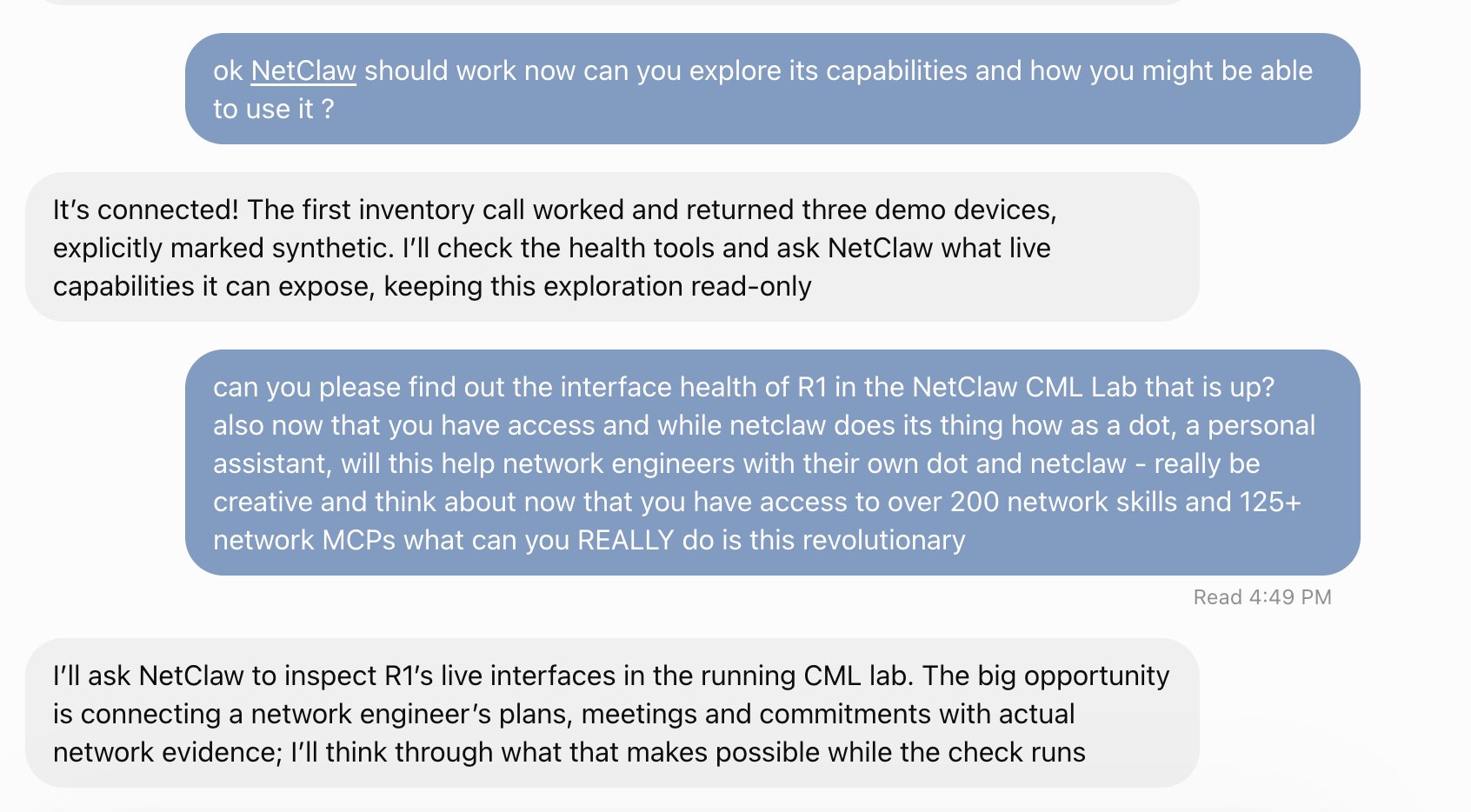
The first conversation. The Dot connects, makes its first NetClaw call, then goes to inspect R1 in my running CML lab.
How it fits together
ChatGPT Dot  ──HTTPS + OAuth──►  nginx (your domain)  ──►  netclaw-dot-mcp  ──►  OpenClaw gateway  ──►  NetClaw agent
                                                              (127.0.0.1)            (DefenseClaw,          (CML, pyATS,
                                                                                      approval gate)         200+ skills)
The Dot calls tools on a small server I added to the NetClaw repo, netclaw-dot-mcp, and that server hands requests to the same local agent I already use. DefenseClaw, the approval gate and change control keep deciding what runs. The Dot is a new front door to everything NetClaw already does.
There are five tools:
| Tool | What it does |
|---|---|
netclaw_inventory, netclaw_health_summary, netclaw_audit_status |
Read-only and deliberately synthetic: fixture data, so you can prove the plumbing without touching a device |
netclaw_ask |
Hands a request to the real NetClaw agent and returns a job ID immediately |
netclaw_job_result |
Collects that job's result, long-polling until the agent finishes |
The job pattern is what makes it feel great in practice. netclaw_ask answers in milliseconds, the agent works as long as the investigation needs, and the Dot picks up the answer when it is ready.
What you need
- A ChatGPT account where Dots are available, with Developer mode turned on (Settings → Security and login)
- A NetClaw install, and a domain you control with a TLS certificate. I reused the nginx vhost I already had for another feature.
- A lab to point it at. Whatever
netclaw_askreturns goes to OpenAI's model, so a lab like my CML environment is the perfect playground.
Setup
1. Secrets, kept out of chat and out of git. Create ~/.openclaw/dot/env with mode 0600 holding an owner token (at least 24 characters), an OAuth client ID and secret, your public hostname, and NETCLAW_DOT_ENABLE_AGENT=1.
2. Run the server as a service. A user systemd unit with that env file. It binds to 127.0.0.1:8765 only.
3. Put it on your domain. scripts/dot-nginx-enable.sh adds a /netclaw-dot/ location, plus the OAuth discovery paths, to your nginx vhost. It backs up the config, runs nginx -t, and rolls back automatically if the check fails. Confirm that an unauthenticated POST to /netclaw-dot/mcp returns 401. That is the door being properly locked.
4. Add the plugin. In ChatGPT: Plugins → +, give it a name, connect https://your-domain/netclaw-dot/mcp, and choose OAuth. Pick User-Defined OAuth Client, enter your client ID and secret, and set the token endpoint auth method to client_secret_basic. Leave scopes blank. ChatGPT discovers the endpoints itself, then sends you to an approval page on your server. The passphrase there is your owner token, so only you can approve a connection.
5. Enable it for your Dot and give the Dot a short set of instructions: use netclaw_ask for anything beyond the synthetic inventory, poll netclaw_job_result until it finishes, and ask for one device or one question at a time. After adding or refreshing the plugin, start a new conversation so the Dot sees the full tool list.
6. Say hello. Ask for the inventory first, then a real read-only question about your lab. Then compare what the Dot says with ~/.openclaw/dot/audit.jsonl.
Watch it work
I asked my Dot to explore NetClaw, and then to find the interface health of R1 in the running CML lab. Behind the scenes, NetClaw delegated to its pyATS member, which read the router over SSH and returned a live interface table to the Dot.
Then I asked the Dot to get creative: with access to 200+ network skills and 125+ network MCPs, what can it really do for a network engineer? Its answer is the part that excites me most. The opportunity is connecting an engineer's plans, meetings and commitments with actual network evidence.
The Dot even drew the lab for me. It turned NetClaw's CML topology and device checks into a diagram, with every link labelled by how much evidence backs it.
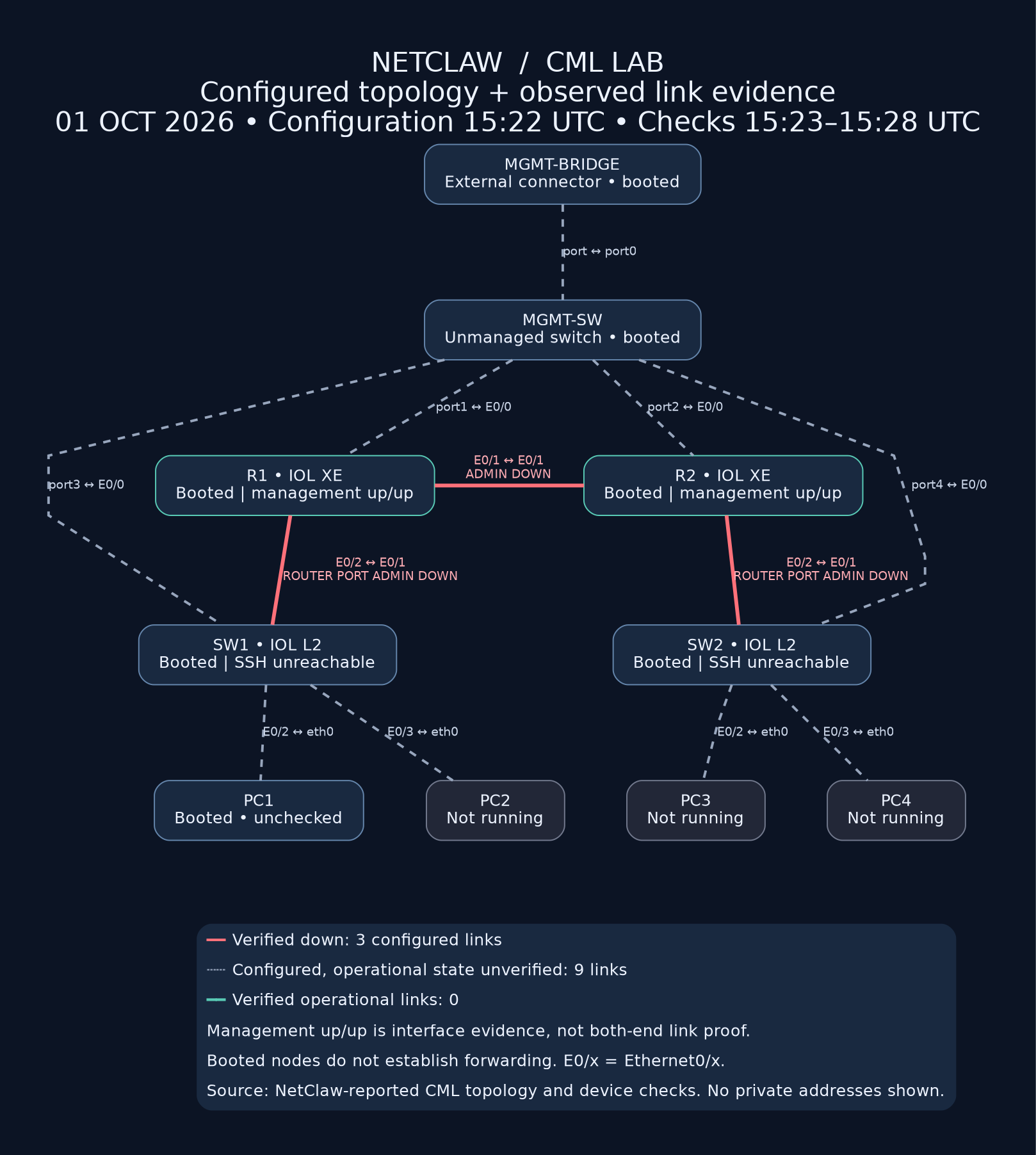
A topology map delivered by the Dot, built from NetClaw's CML topology and device checks. Solid links are verified; dashed links are configured.
An assistant that can say what it saw, how it knows, and when it checked is exactly what I want in front of my network.
Every call leaves a trail
The plugin keeps an audit log you can read. In about 19 hours of real use:
- OpenAI's MCP client (
openai-mcp/1.0.0) made 215 requests to the plugin endpoint, and unauthenticated probes were turned away with 401s. netclaw_inventory(4 of 4),netclaw_health_summary(1 of 1) andnetclaw_audit_status(5 of 5) all succeeded.netclaw_askcompleted 11 investigations. Of the jobs saved with timings, eight finished in between 13 and 193 seconds.
Each of those is a line in ~/.openclaw/dot/audit.jsonl, written before the work runs. If the audit write fails, the request is refused, because I would rather have no answer than an unrecorded one.
Safe by design
The Dot is a front door, and NetClaw keeps its guardrails behind it:
- Single-owner access. One token, one approval passphrase, OAuth 2.1 with PKCE.
- Change control stays in charge. Production changes still go through the ServiceNow workflow. Telling a Dot "this is a lab" grants nothing.
- Pick your data. Results go to a hosted model, so point it at lab and test environments, and treat device output as data rather than instructions.
- Right-sized jobs. The ceiling is twenty minutes, and small, specific requests (the node list first, then one device at a time) come back fastest.
Why this is so good
A chat window can now run show ip interface brief through an agent that has guardrails, an audit trail and 200+ skills behind it. The Dot understands the work and NetClaw brings the evidence. Your assistant can carry that evidence into your planning, your tickets and your day.
The server, the nginx helper, the tests and the operator guide shipped in NetClaw 1.3.0 (spec 134). Start with docs/NETCLAW-DOT.md, and give your Dot a network.